
Real 3D CAD. In your pocket.
Qadrixa is a 3D CAD app for Android phones and tablets. Sketch with dimensions and constraints, turn it into solid parts, and make 2D drawings. Every part is an exact Open CASCADE solid, and everything works offline.
- Free to download
- Works offline
- No account
- No ads
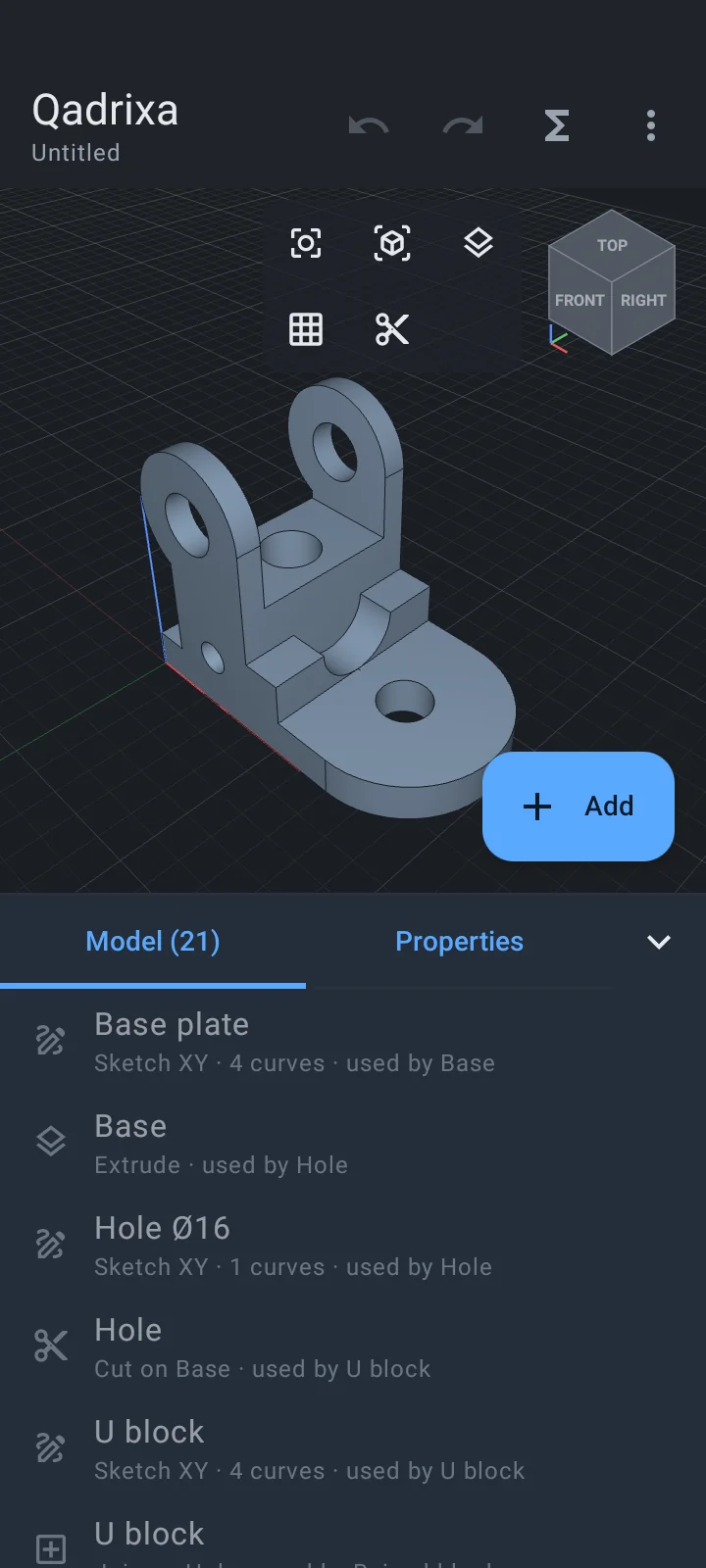
A full CAD workflow on your phone
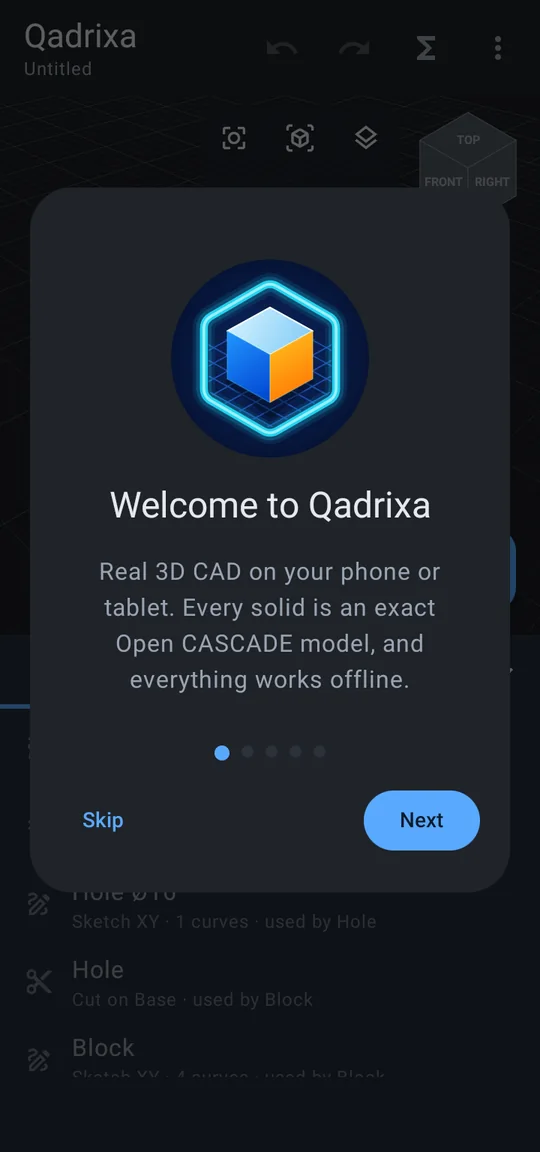
From the first line of a sketch to a finished drawing, without a computer. The phone layout keeps the 3D view on top and the model tree in a sheet below.
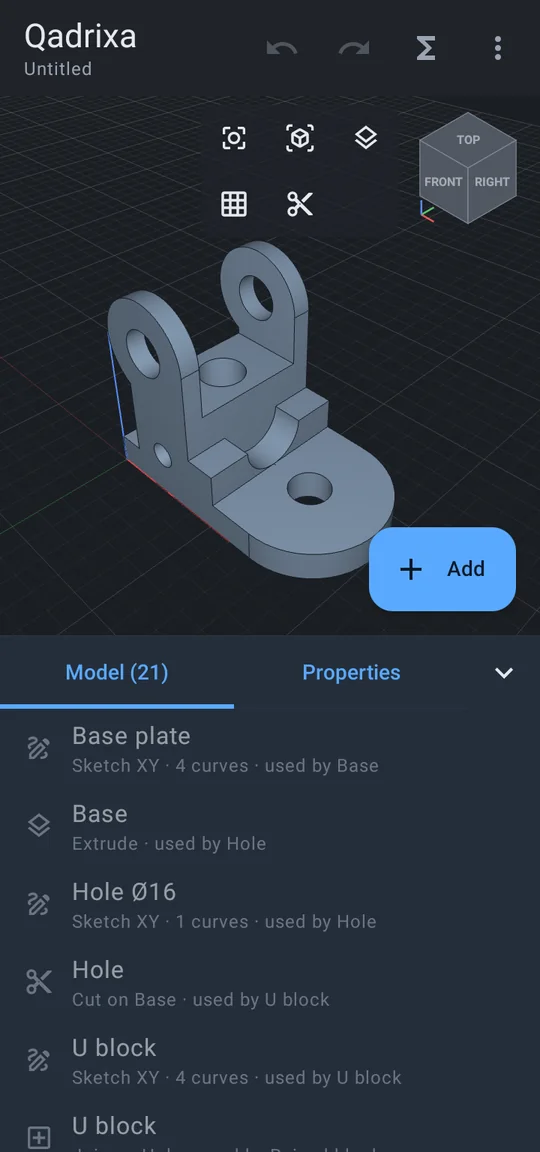
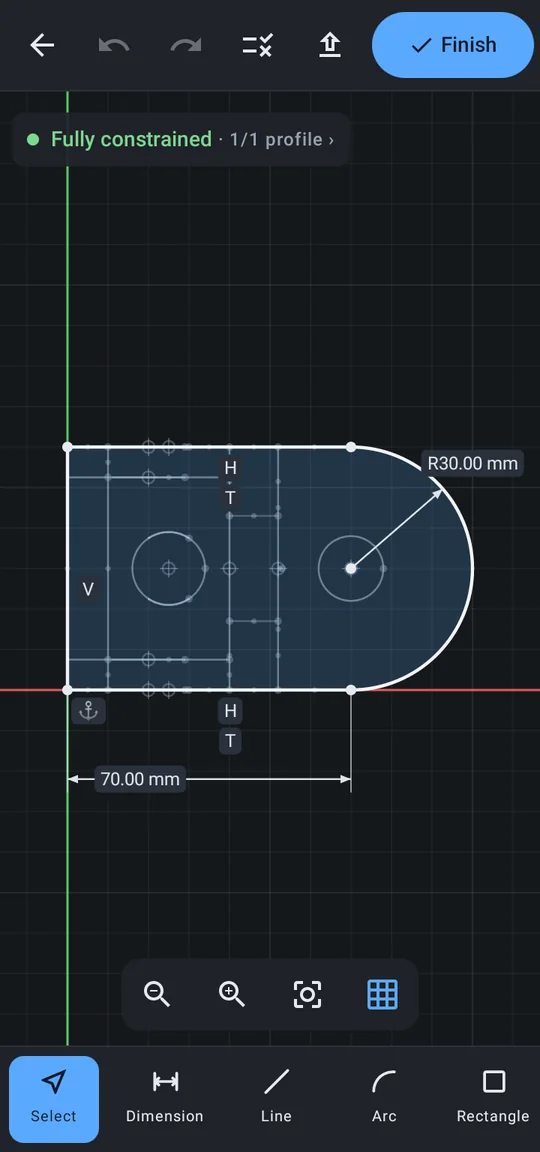
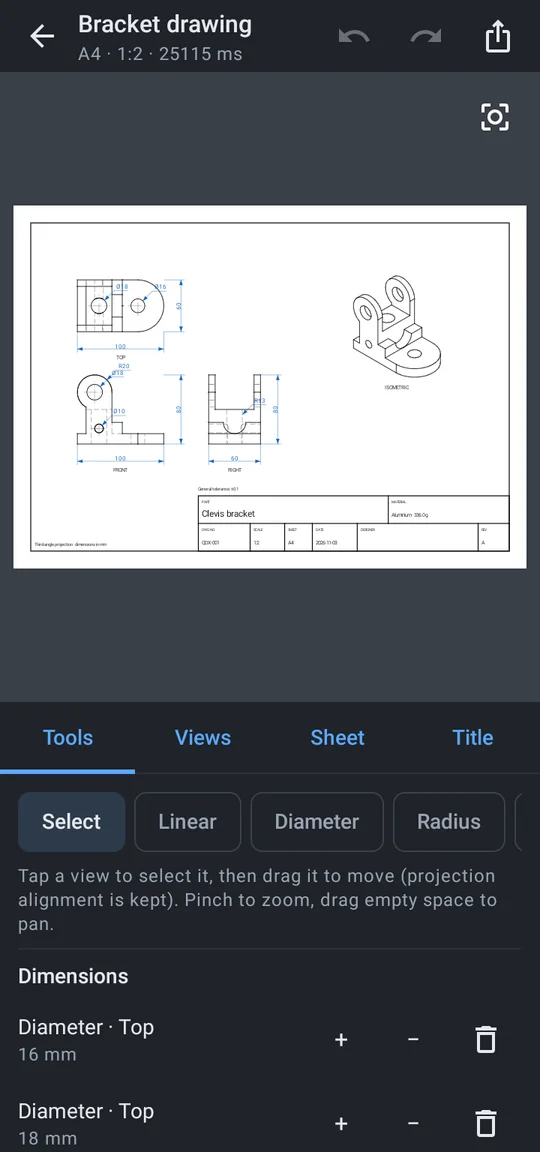
Even better on a tablet
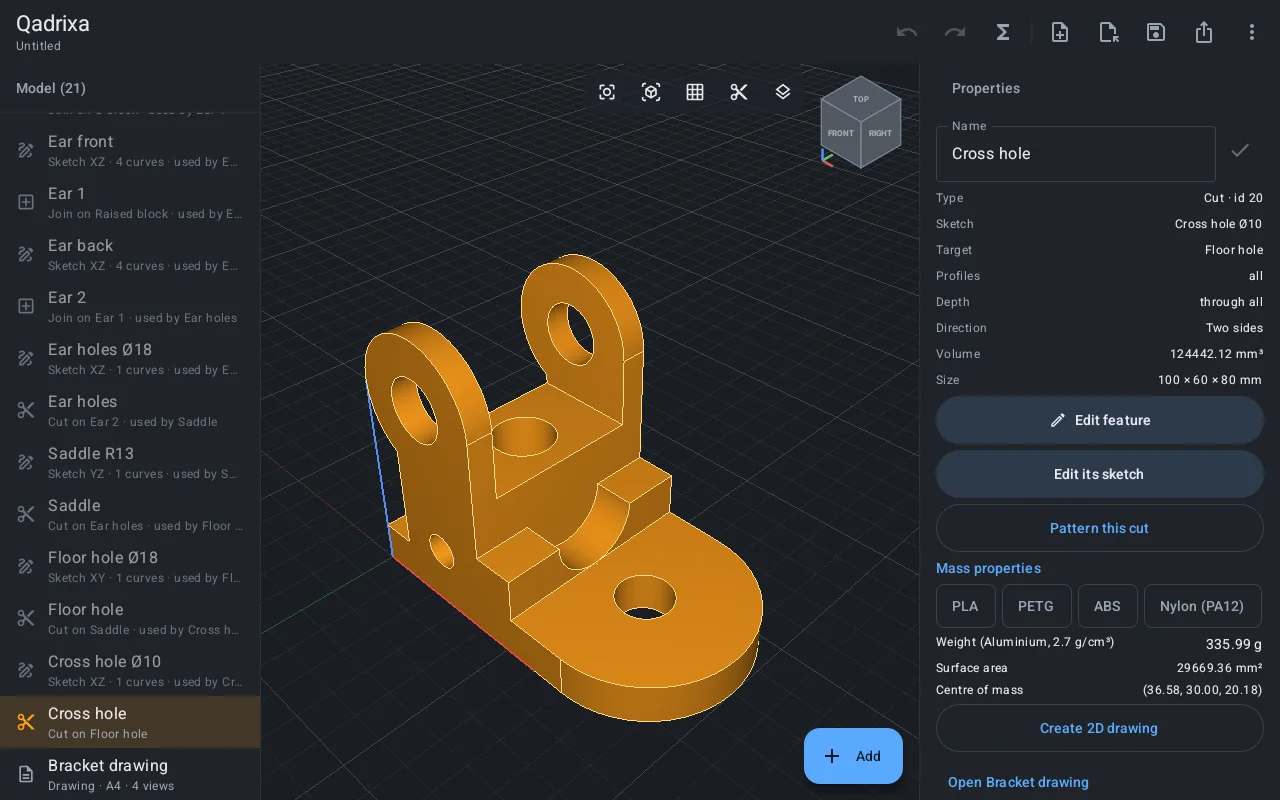
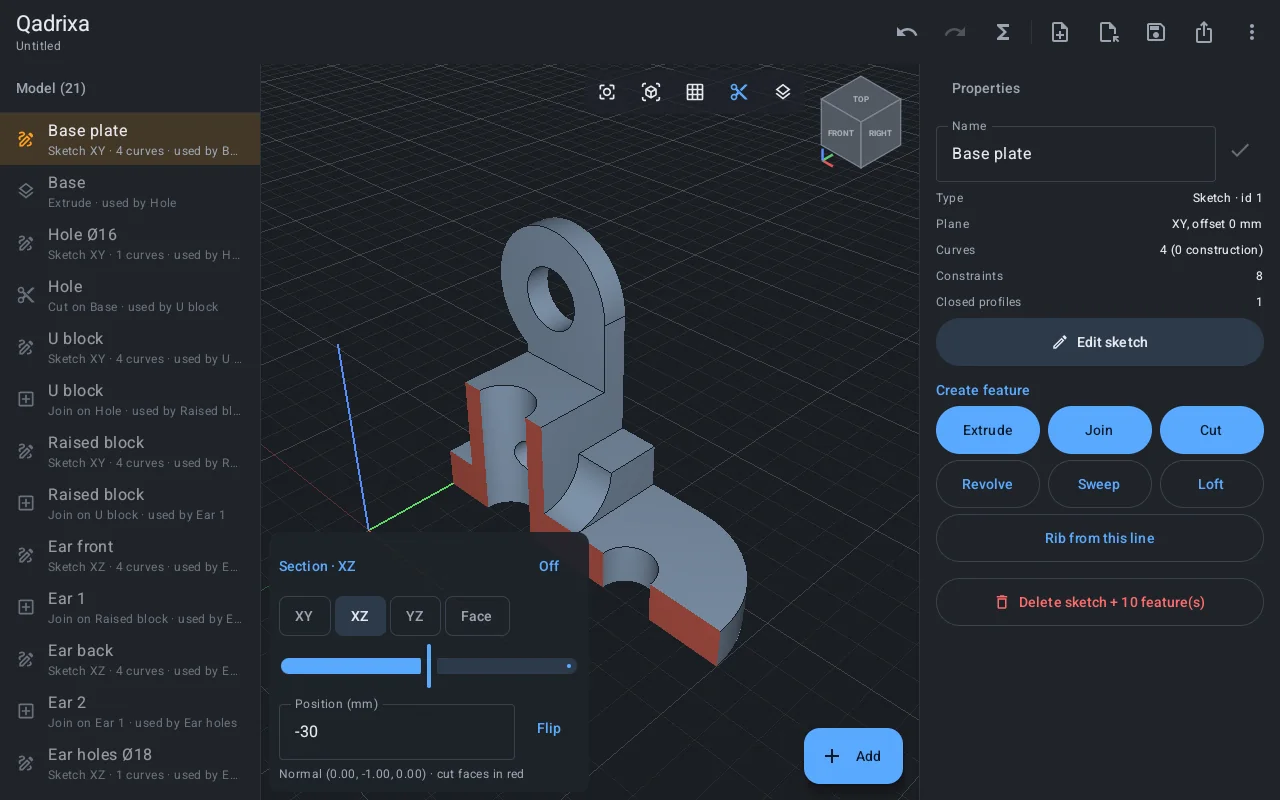
- Everything on one screenThe model tree, the 3D view and the properties sit side by side, with the weight, area and centre of mass of the selected part.
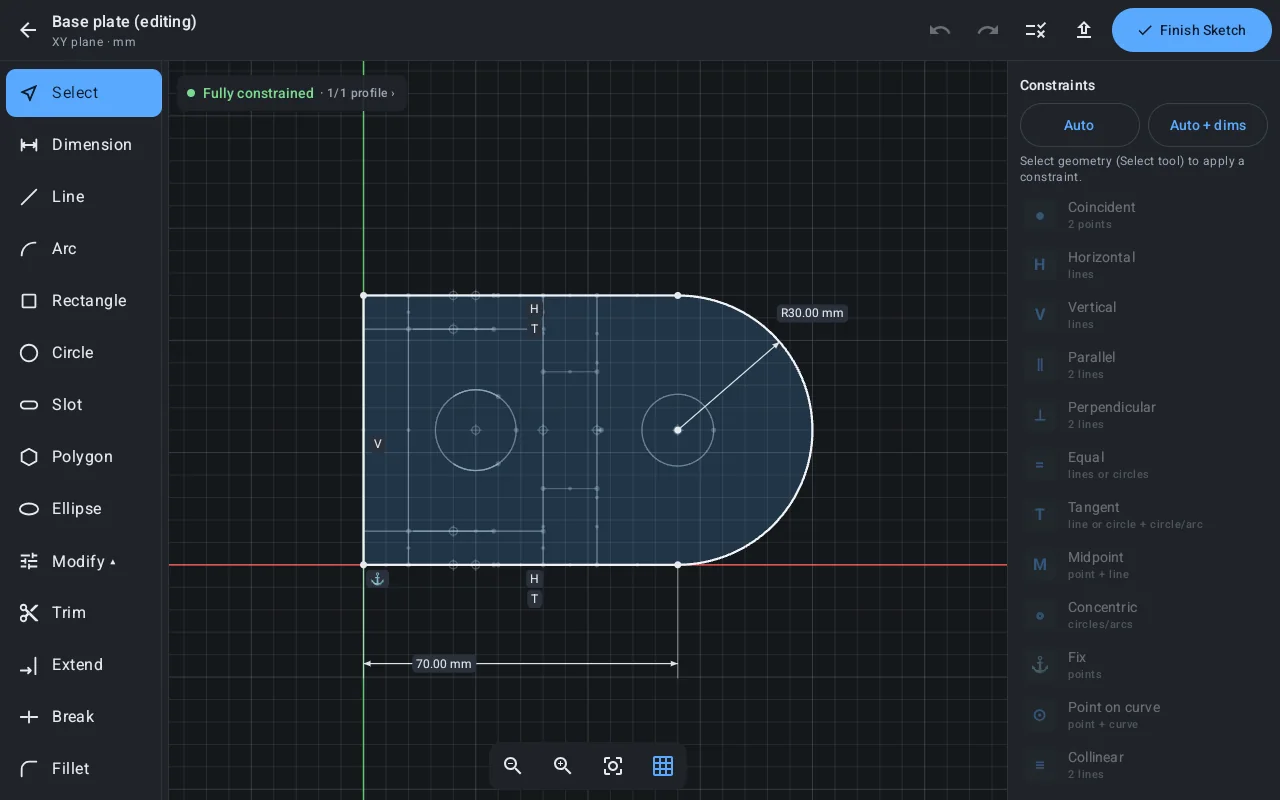
- Sketch with room to workDrawing tools on the left, constraints on the right, and a status that tells you when the sketch is fully constrained.
- Check the insideSection views cut along any plane or face and show the cut faces in red.
The tools you expect from desktop CAD
Qadrixa runs the Open CASCADE geometry kernel on your device, so parts are exact solids, not meshes.
- Sketches with constraints
- Lines, arcs, rectangles, circles, slots, polygons, ellipses, splines and text. Smart Dimension, tangent, parallel, equal and more, with colours that show what is still free.
- Solid features
- Extrude, Revolve, Sweep and Loft; holes with counterbore or countersink, threads, patterns, mirror, shell, draft and ribs. Edit any step later in the timeline.
- Direct modeling
- Tap a face or an edge for Push/Pull, Fillet, Chamfer, Offset or Move. Drag the arrows or type exact values.
- 2D drawings
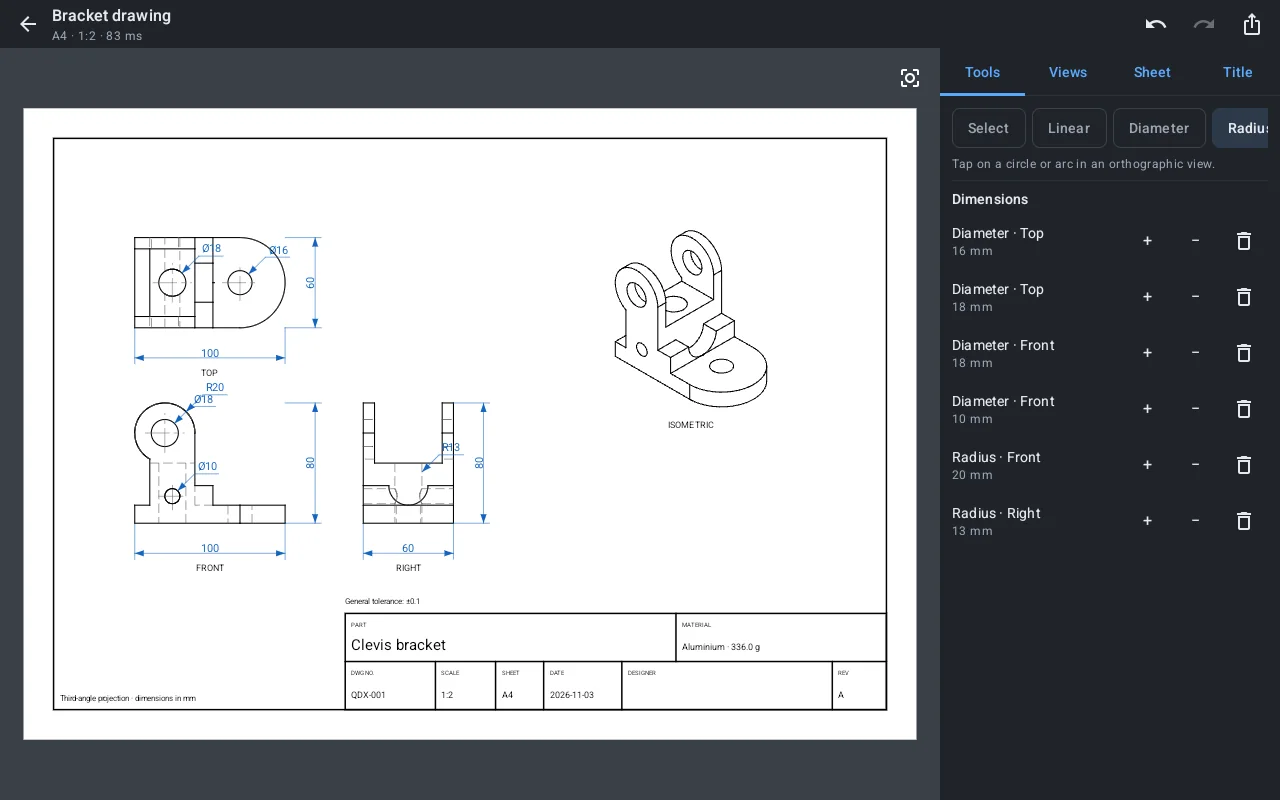
- Front, top, right and isometric views with hidden lines on A4 or A3, dimensions that follow the model, notes and a title block.
- Measure and analyse
- Distances and angles between faces and edges, section views, and mass properties with materials: weight, surface area and centre of mass.
- Works with other CAD
- Open STEP, IGES, STL, OBJ and 3MF files. Save your projects as
.qdxand keep working offline.
Free to model. Pay once to export.
Every modeling tool is free. Qadrixa Pro is a single purchase on Google Play, with no subscription.
Qadrixa
Free
- Sketching, constraints and every solid feature
- Direct modeling, section views and measuring
- 2D drawings
- Open STEP, IGES, STL, OBJ and 3MF
- Save and open
.qdxprojects
Qadrixa Pro
One-time purchase, price shown in the app
- Export parts to STEP, IGES, STL, OBJ and 3MF
- Export drawings to PDF, DXF and PNG
- STL and 3MF ready for 3D printing
- Restore on a new phone with the same Google account
Your first part in three steps
A short tour opens the first time you start Qadrixa, and you can open it again from the menu.
Sketch a profile
Pick a plane, draw the shape, and add dimensions until the sketch is fully constrained.
Make it solid
Extrude or revolve the closed profile, then add holes, fillets and cuts.
Draw and share
Create a 2D drawing in a tap, and export the part or the drawing with Qadrixa Pro.
Questions
How much does it cost?
Qadrixa is free to download, and every modeling and drawing tool is free. Qadrixa Pro, which unlocks exporting, is one payment on Google Play. There is no subscription and no ads.
Do I need internet?
No. Modeling, drawings, saving and opening all work offline. Google Play only needs a connection while you buy or restore Qadrixa Pro.
Which files can I open and export?
You can open STEP, IGES, STL, OBJ and 3MF files and your own .qdx projects. With Qadrixa Pro you can export parts to STEP, IGES, STL, OBJ and 3MF, and drawings to PDF, DXF and PNG.
Which devices are supported?
Android phones and tablets with Android 8.0 or newer and OpenGL ES 3.0.
I bought Pro. How do I get it on a new phone?
Sign in with the same Google account, install Qadrixa, and open the menu › Qadrixa Pro › Restore.
Does it collect my data?
No. There is no account, no ads and no analytics, and your projects stay on your device. Read the privacy policy.